How to add Polygon Test Network to MetaMask
Before you get to use our app on Polygon with real funds, we’ve deployed our app on Mumbai Testnet to allow you to explore Pods’ app in Polygon Testnet space.
АнглийскийRobert Nelson·Jan 2, 2022·1 мин чтения·28,268 прочтений
Connecting Mumbai Testnet to your Metamask
Mumbai is not enabled by default on Metamask. We have to add it as one of the connected networks manually.
To use the Mumbai testnet with superfluid, you'll need a RPC URL to connect your metamask or application to a Mumbai node.
- Go to MetaMask Chrome extention
- Connect your wallet and click on the dropdown of networks
- Click on “Add Network”
- Add the following information in the parameters in blank:
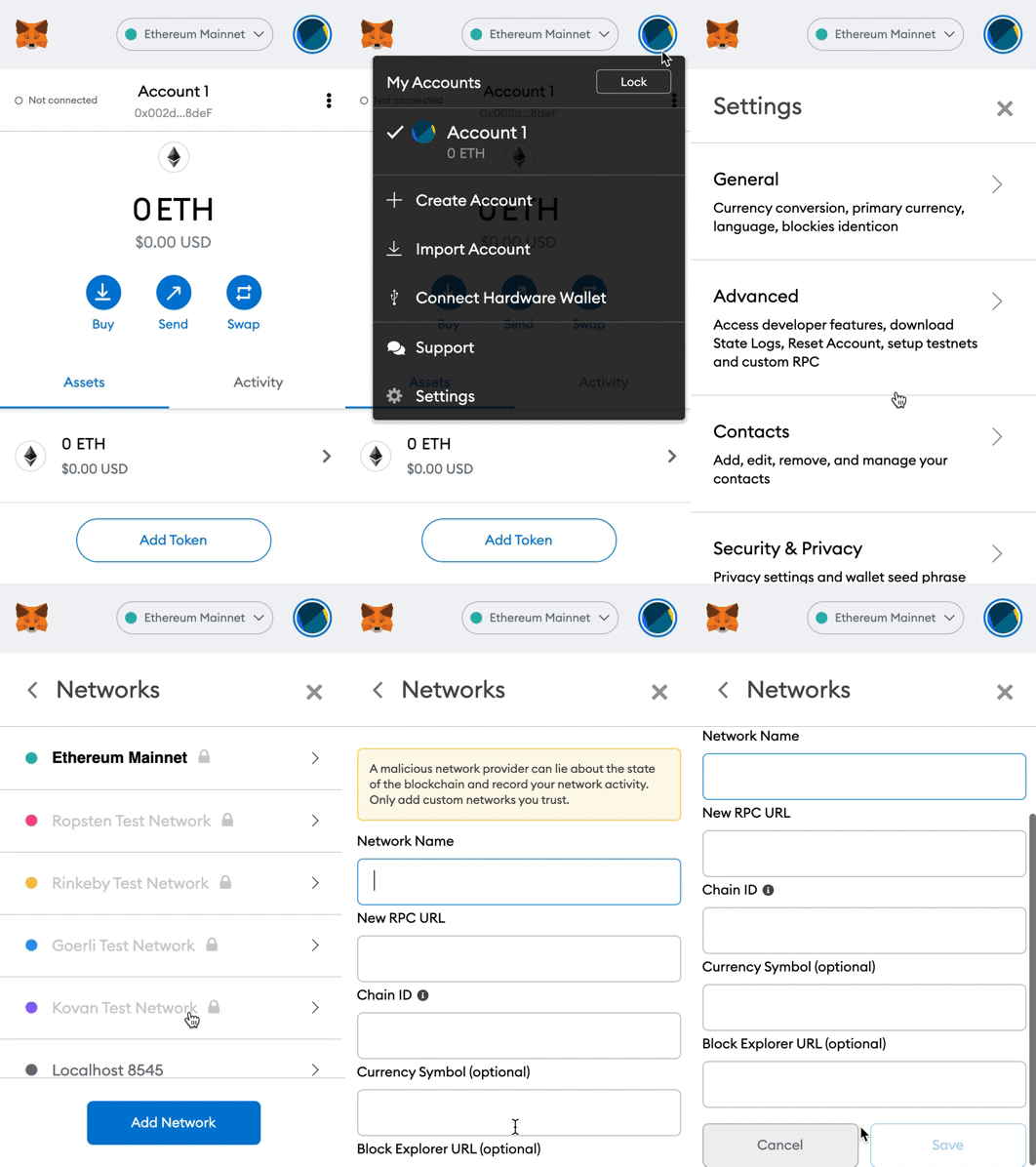
Metamask Network Parameters
Network Name: Mumbai Testnet
New RPC URL: https://rpc-mumbai.maticvigil.com
Chain ID: 80001
Currency Symbol: MATIC
Block Explorer URL: https://polygonscan.com/
- Click on “Save” and you’re good to go
After completing these steps you can find the custom network in the dropdown list.
Getting Mumbai Matic tokens
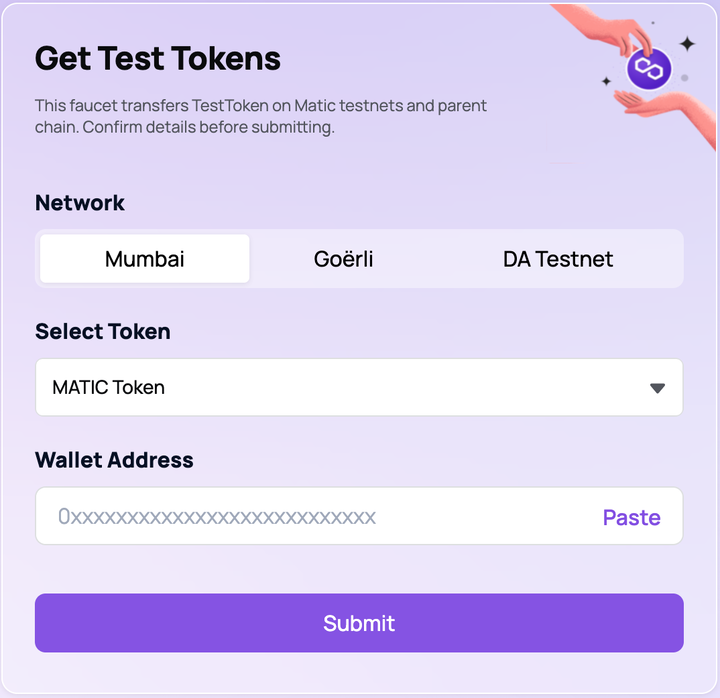
Once you’ve already integrated Mumbai Testnet in your Metamask, let’s get a faucet so you can explore our beta testing on Polygon Testnet. The faucet you are looking for at this point is Mumbai Matic.
Access the following website: https://faucet.polygon.technology/ and make sure the following parameter are set:
- Select Token: Matic
- Network: Mumbai
- Paste your wallet address
- Click submit
Thanks
Создайте свою NFT-коллекцию
Генерируйте 10K NFT, загружайте в IPFS и запускайте — без кода.
Читать дальше